



Withdrawal at NN777: A Clear Guide to Cashing Out Funds
Withdrawal at NN777 starts with a simple goal: Move available funds from your gaming balance to the correct payout account without creating an avoidable delay. A careful check of the bank details, amount, password, and transaction status makes the process much easier to manage.
Set Up Withdrawal Before You Need It
The best time to prepare a Withdrawal is before there is a large balance waiting to be cashed out. Most problems are easier to fix while there is no pending transaction, especially when the issue involves an outdated bank account or a forgotten withdrawal password.
Inside NN777, the Withdrawal area separates the payout setup from the amount you intend to cash out. That distinction is useful. Instead of rushing straight to the amount field, you can confirm where the money will go first.
Create and Remember Your Withdrawal Password
Withdrawal uses its own password field when a request is submitted. Treat this password as part of your payment setup rather than an insignificant final confirmation.
A strong withdrawal password should be:
- Different from an obvious PIN or birthday.
- Easy enough for you to remember without storing it in an unsafe place.
- Kept private even if someone else occasionally uses your phone.
- Entered carefully before tapping Apply.
A forgotten password can turn a two-minute transaction into a support issue. More importantly, the extra password creates another barrier between account access and the ability to move funds.
Add the Correct Bank Account
The cashier includes Bank Card and Add Bank options. Before the first Withdrawal, make sure the payout account you actually intend to use has been added.
A saved GoTyme Bank account, for example, may display details such as the account holder’s name, bank name, province, city, and masked bank account number. Seeing those details before submitting is useful because a familiar bank logo alone is not enough to confirm that the right account is selected.
If an old account is still attached, correct it before withdrawing rather than hoping the payment can be redirected later.
Check the Withdrawal Amount Before Submitting
The Withdrawal screen currently displays a transaction range of ₱100 to ₱50,000. That range gives you an immediate boundary for the amount field, but it should still be checked each time you cash out.
Limits can change. The amount displayed inside your account at the time of Withdrawal is more useful than a number remembered from an older transaction.
Suppose your available balance is ₱18,600 and you want to withdraw ₱15,000. That amount is comfortably inside the displayed range. After entering it, the cashier can show the remaining balance so you can see the effect before submitting.
That simple preview prevents a surprisingly common mistake: Entering the right digits but withdrawing more than you intended.
A good Withdrawal check is not simply “Do I have enough money?” It is “Is this the amount I want to send, to the account I want to receive it?”
The page also includes Display Calculation Process, which can help when you want to understand how the balance after Withdrawal is being calculated.
You may also see Overdraft ₱0.00. Do not automatically interpret that figure as a withdrawal charge. A fee should only be treated as a fee when it is clearly identified as one during the transaction.
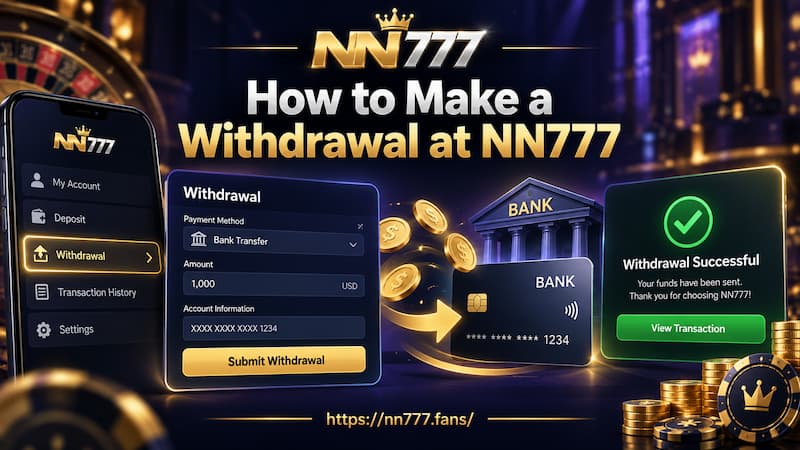
How to Make a Withdrawal at NN777
Once the payout account is ready, the actual process is short. The important part is the order of the checks.
How to Make a Withdrawal at NN777
1. Open the Withdrawal Area
Log in nn777 and enter the cashier or Withdrawal section. Select the bank account or payout method you intend to use.
Before touching the amount field, read the bank information already on screen.
2. Confirm the Receiving Account
Check the saved information carefully:
- Full name
- Bank name
- Province
- City
- Masked bank account number
- Selected Withdrawal method
A GoTyme Bank entry showing Metro Manila and Manila City, for example, gives you several details to compare instead of relying on the bank name alone.
If anything looks unfamiliar, stop there and check the saved account.
3. Enter the Withdrawal Amount
Type the amount you want to cash out.
Then compare three numbers:
- Your available balance.
- Your requested Withdrawal amount.
- Your expected balance after Withdrawal.
This takes only a few seconds and catches misplaced zeros quickly. ₱5,000 and ₱50,000 are both valid-looking numbers, but they are very different requests.
4. Enter the Withdrawal Password
Use the password created for Withdrawal. Avoid repeatedly guessing if you are unsure of it, especially when account security controls may react to repeated failed attempts.
5. Review and Tap Apply
Before pressing Apply, check the destination and amount one final time.
Submitting the request means the Withdrawal has entered processing. It does not necessarily mean the receiving bank has already credited the funds.
That difference becomes important when you begin tracking the transaction.
Bank Information Deserves a Second Look
Players naturally focus on the amount because that is the money leaving the gaming balance. In practice, incorrect receiving details can be a much harder problem than entering the wrong amount and correcting it before submission.
Take a saved GoTyme Bank account as an example. If you regularly use more than one local bank account, recognizing “GoTyme Bank” does not prove that the selected account number is the one you want today.
Check the masked ending of the account number as well.
The same applies if you have recently:
- Opened a new bank account.
- Stopped using an older account.
- Changed personal account information.
- Added more than one payout method.
- Used another payment account in the past.
The Add Bank option is there for a reason. If the correct payout destination is not available, adding or correcting it first is cleaner than creating a Withdrawal request with questionable details.
A few extra seconds here can prevent hours of uncertainty later.
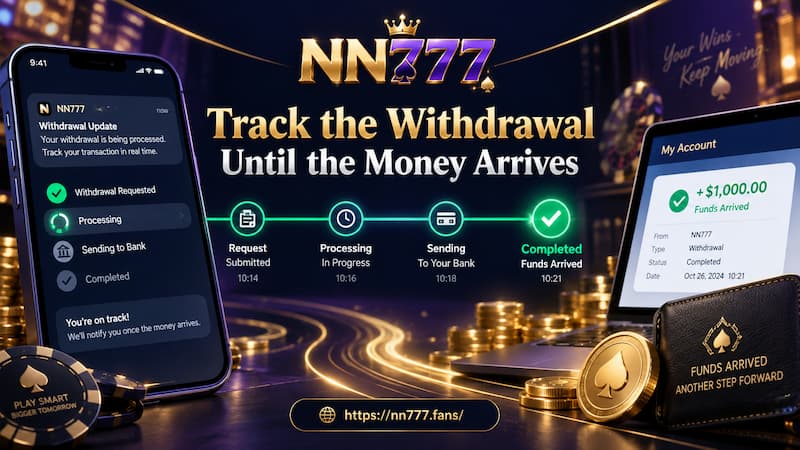
Track the Withdrawal Until the Money Arrives
A Withdrawal is not finished when the amount disappears from the available gaming balance. It is finished when you can confirm the receiving account has been credited.
Track the Withdrawal Until the Money Arrives
After submitting, check the transaction record or Withdrawal history when available.
Useful details to keep include:
- Withdrawal amount
- Payout method
- Submission date and time
- Transaction status
- Withdrawal or transaction reference number
The reference number is particularly useful when you make several cash-outs using the same bank.
Imagine submitting ₱8,000 on Monday and another ₱12,000 on Wednesday. Saying “my bank withdrawal is delayed” leaves too much room for confusion. A specific transaction number tells support exactly which request needs checking.
Until the funds arrive, keep that reference.
Avoid Duplicate Requests
A processing Withdrawal can tempt you to submit another request, especially if nothing appears in the bank immediately.
That usually creates more confusion, not less.
First check whether the original transaction already exists in the Withdrawal history. If it is present and still processing, submitting a second identical amount may leave you with two transactions to track.
When a Withdrawal Does Not Go Through
A failed or delayed Withdrawal does not always require immediate support. Start with the details you can verify yourself.
Check the Amount and Balance
Confirm that:
- The amount is inside the current Withdrawal range.
- There is enough available balance.
- The amount was entered correctly.
- No unexpected decimal or extra zero was added.
If the cashier displays ₱100 as the minimum, attempting to cash out ₱80 will not satisfy the displayed condition even if the account has sufficient funds.
Check the Withdrawal Password
An incorrect password can stop the request before payment processing even begins.
If you are uncertain, use the account’s recovery or support process rather than continuously trying different passwords.
Check the Saved Bank Details
Look again at the receiving bank and masked account number. If the details no longer match the account you use, fix the payout setup before creating another request.
The registered account name can also matter when payment information is being verified.
Review Bonus or Account Conditions
Not every balance is necessarily in the same state.
If funds are connected to a bonus, promotion, or wagering condition, check the terms attached to that specific offer. Do not assume one universal Withdrawal rule applies to every promotion.
For example, a cash balance deposited normally and a promotional balance tied to a turnover condition may not become withdrawable at the same moment.
The useful question is not simply whether the balance appears on screen. Check whether the funds have satisfied any conditions attached to them.
Check the Transaction Status
If you already pressed Apply, find the existing transaction before submitting again.
When contacting support, prepare the useful details in advance:
- Requested amount
- Bank or payout method
- Date and approximate submission time
- Current Withdrawal status
- Transaction or Withdrawal number
“Where is my money?” gives support very little to work with. “My ₱15,000 GoTyme Bank Withdrawal submitted at 3:40 PM is still processing; here is the transaction number” gives them a specific case to investigate.
Final Withdrawal Check Before Tapping Apply
Before sending a Withdrawal, run through a short final check:
- Bank account: Is the intended receiving account selected?
- Account number: Does the masked number match the account you recognize?
- Amount: Is it inside the limit currently displayed?
- Balance: Will the remaining balance be what you expect?
- Password: Is the Withdrawal password correct?
- Conditions: Are any bonus or account requirements still unresolved?
- Tracking: Can you locate the transaction record after submitting?
None of these steps is complicated. Their value comes from doing them before the request leaves your account.
A smooth Withdrawal is usually less about moving quickly through the cashier and more about eliminating uncertainty first. Once the receiving account, amount, available balance, and password all line up, submitting and tracking the payout becomes much more straightforward.