



NN777 Login: Secure Account Access and Recovery Guide
Login is the gateway to an NN777 account, so access should feel familiar, quick, and secure. Knowing how to check credentials, recover a password, recognize an incorrect address, and solve common sign-in problems can prevent a small login issue from becoming an account problem.
NN777 Login Essentials
Before entering a username, password, or other account information, make sure you are trying to access the correct account in the right place. This takes only a few seconds, yet it eliminates many of the problems people mistakenly treat as password errors.
For an existing NN777 account, the most useful pre-login checks are simple:
- Confirm that you are using the address associated with your account.
- Check the spelling of the domain before entering credentials.
- Use the login details originally connected to your registration.
- Make sure your internet connection is stable.
- Avoid continuing after an unexpected redirect to an unfamiliar address.
- Do not confuse Login, Registration, and Account Recovery.
A common situation is surprisingly ordinary. You open Google Chrome on a new phone, Chrome fills an old password automatically, and Login fails even though you are certain the account exists. Retyping the current password manually may solve the issue immediately.
The important distinction is between remembering a password incorrectly and losing access to an account. If you genuinely cannot remember the password, recovery is usually a better choice than repeatedly trying different combinations.
How to Login to NN777
NN777 Login process should begin with identification, not speed. The goal is not simply to reach the lobby as quickly as possible; it is to make sure the account you open is genuinely yours and that your credentials are being entered in the expected place.
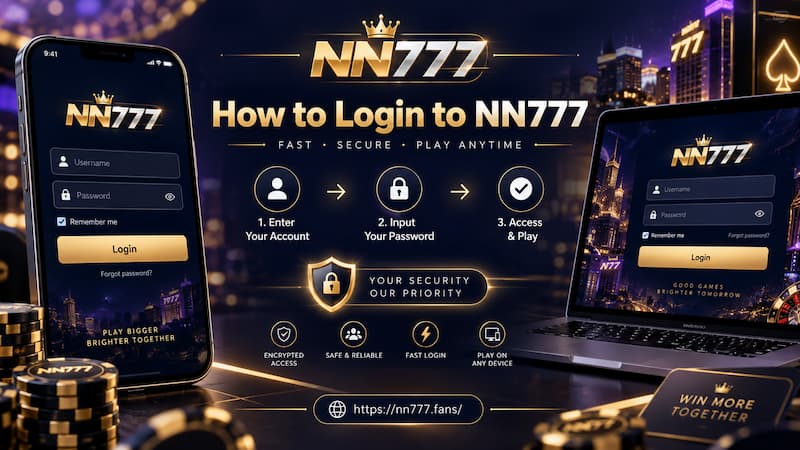
How to Login to NN777
Open the Login Page
Start through the NN777 address you normally use. Once the page opens, locate the Login option and check the browser address before typing anything sensitive.
Pay attention to small differences. A domain containing an extra letter, number, hyphen, or unexpected subdomain may look convincing at first glance.
A familiar logo is not enough to confirm a login page. The exact web address deserves more attention than the design surrounding it.
This is especially useful when opening a link from Messenger, Telegram, Viber, Facebook, or an old browser bookmark. A saved bookmark you created yourself is generally easier to recognize than a new link forwarded by somebody else.
Enter Your Account Details
Use the credentials linked to your existing account. Depending on the account setup and current login interface, this may involve an account identifier together with a password.
Before pressing Login, check three small details:
- Make sure Caps Lock is not changing the password.
- Remove accidental spaces copied before or after an account name.
- Check whether Chrome, Safari, or Samsung Internet has inserted an outdated saved password.
If additional verification appears, complete it through the requested account channel rather than trying to bypass it.
Confirm the Correct Account Opened
A technically successful Login is not the end of the check. Once access is granted, take a quick look at the account itself.
You should recognize the account information, balance, and recent settings. If something looks unexpectedly different, do not rush into depositing, withdrawing, or playing.
That brief check is particularly useful after logging in from a new phone or after resetting a password.
Common Login Problems and Fixes
Login errors often come from ordinary causes rather than a broken account. Solving them in the right order saves time and reduces unnecessary password resets.
Password Is Rejected
Start with the simplest possibilities.
Manually type the password instead of relying on autofill. Check capitalization and keyboard language, particularly if your password contains symbols.
For example, switching between an English keyboard and another keyboard layout can make a symbol appear differently without being obvious on a masked password field.
If the password was recently changed on an iPhone but Google Password Manager still holds the previous version on a Windows PC, the saved credential may continue producing failed attempts. Updating the stored password fixes the cause rather than the symptom.
When you no longer know which password is correct, stop guessing and move to account recovery.
Account Details Do Not Match
Sometimes the password is correct but the wrong account identifier is being entered.
This can happen when you:
- Maintain more than one email address.
- Changed your phone number.
- Saved an old account name in the browser.
- Use several gaming accounts with different credentials.
- Mistake registration information for current login information.
Check the information originally connected to the account before creating another one. A second registration can make account management more confusing instead of solving the original access problem.
Login Page Keeps Reloading
A Login page that returns to itself may point to a browser-session problem rather than an incorrect password.
Try these steps in order:
- Refresh the page once.
- Close the tab and reopen it.
- Restart the browser.
- Check whether cookies are being blocked.
- Clear stored data for the affected page if the loop continues.
- Test another current browser such as Chrome, Safari, Firefox, or Edge.
- Switch between Wi-Fi and mobile data if the connection is unstable.
Avoid jumping through several random NN777-branded domains just because one page is temporarily slow. Fix the connection or browser issue first.
Resetting NN777 Login Access
Password recovery is the correct path when the problem is no longer a simple typo.
Open the normal Login area and use the available password or account-recovery process. Provide the information connected to your existing account and complete any verification requested.
When creating a replacement password, choose one that is not already used for Gmail, Facebook, GCash, online banking, or other important services.
A strong approach is to combine several unrelated words, numbers, and symbols rather than relying on predictable patterns such as a birthday followed by 123.
When Recovery Fails
Recovery can become more complicated when you no longer control the registered email address or phone number.
Other cases that deserve attention include:
- A verification message never arrives.
- Your registered details are rejected.
- A password appears to have changed without your action.
- You receive password-reset messages you did not request.
- Login suddenly fails on every device.
In these situations, contact NN777 through the account-support route. Do not give a password, one-time verification code, or full payment credentials to somebody claiming they can restore the account privately.
Protecting Your Login
Account security starts before Login and continues after it.
A good password is useful, but everyday habits usually decide whether it remains secure.
Protecting Your Login
Use a unique NN777 password and avoid sharing it. On a personal phone, saving a credential in a trusted password manager may be convenient. On a computer in an internet café, hotel, office, or shared household, saving it creates unnecessary exposure.
Logging out also matters. Closing the browser window does not always guarantee that an authenticated session has ended.
A practical Login security checklist looks like this:
- Check the domain before entering credentials.
- Keep the password unique.
- Do not share verification codes.
- Avoid saving credentials on shared devices.
- Log out when using someone else’s phone or computer.
- Change the password after suspicious activity.
- Review unexpected account changes before making transactions.
- Treat unsolicited password-reset messages cautiously.
For users in the Philippines, PAGCOR specifically encourages checking whether an online gaming provider is authorized before playing or making payments. Its verification initiative was created to help distinguish legitimate services from illegal or fraudulent gaming websites.
Check the Address Before Login
A fake Login page does not need to look amateurish. It may copy colors, logos, buttons, and promotional graphics closely enough to feel familiar.
The address bar is therefore one of the most useful places to look.
Compare the current domain with the address you normally use. Watch for:
- Misspelled brand names.
- Extra letters or numbers.
- Unexpected hyphens.
- Strange subdomains.
- A completely different domain after a redirect.
HTTPS is useful because it encrypts the connection between your browser and the web server, but the padlock alone does not prove that the business behind a domain is legitimate.
This distinction is important in online gaming. PAGCOR launched its Guarantee service specifically so users can verify gaming providers instead of relying only on claims or branding presented by an operator.
After a Successful Login
Once Login succeeds, spend a few seconds confirming that the account looks normal before moving into the casino lobby.
Check the balance and basic account information you recognize. If available, review recent changes or security details, especially after recovering a password or using a new device.
Suppose you normally keep a ₱2,000 balance but suddenly see an amount or account information you do not recognize. That does not automatically prove unauthorized access, but it is enough reason to investigate before continuing.
A normal Login should lead to a familiar account. Unexpected details deserve attention.