


Deposit at NN777: Methods, Limits, Fees and Payment Steps
Deposit at NN777 is less about pressing a payment button and more about choosing a route that fits the amount you want to add. Each method can have its own limits and transaction details, so checking the numbers before paying makes the process noticeably smoother.
How Deposit Works at NN777
After login, the Deposit area at NN777 gives players several ways to add funds, including GCash, PayMaya, GrabPay, GoTyme, Online Payment and USDT. The important detail is that choosing a payment method may only be the first decision.
GCash is a good example. It is not presented as one single Deposit route. Several GCash channels can be available at the same time, each with its own displayed minimum and maximum amount.
A normal Deposit follows this sequence:
- Open the Deposit section after signing in.
- Choose a payment method.
- Select a specific payment channel when multiple routes are available.
- Check the single Deposit limit shown beside that route.
- Enter the amount you want to add.
- Review the handling fee and Actual Deposit Amount.
- Select Pay Immediately.
- Complete the payment using the details generated for that transaction.
The small checks in steps four through six are easy to skip. They are also where many preventable payment problems begin.
A payment method can be familiar while the specific Deposit route is not. Always read the details of the transaction currently on screen rather than relying on how a previous Deposit worked.
Deposit Methods and Their Best Fit
There is no need to treat every Deposit method as interchangeable. The better choice depends on the amount, the account you already have funded and how comfortable you are with the payment process.
GCash
GCash gives players several Deposit routes rather than forcing every transaction through one channel. That makes it especially useful when you want to compare limits before paying.
Suppose you only want to Deposit ₱50. A GCash route with a ₱100 minimum would not fit, while GCash-03 currently shows a much lower ₱20 minimum.
For a ₱5,000 Deposit, several displayed GCash routes fall comfortably inside the permitted range, so the decision becomes more about which channel is currently available and suitable.
PayMaya
PayMaya appears as a separate e-wallet option in the Deposit menu. If that is already where you keep your funds, using it can avoid the extra step of transferring money into another wallet first.
Do not assume its transaction limits are identical to GCash. Select PayMaya and read the current limit and payment instructions before entering the amount.
GrabPay and GoTyme
GrabPay and GoTyme add more flexibility when another payment route does not suit the transaction. For players who prefer bank-based transfers, local banks can provide another practical funding route.
That flexibility is useful in a practical sense. If your preferred GCash route is unavailable or its limit does not match the amount you intend to Deposit, changing payment methods can be cleaner than trying to force the transaction into a route that was not designed for it.
Online Payment
Online Payment has its own Deposit category. Once selected, follow the payment details generated for that particular transaction.
The important habit here is simple: Use the instructions created for the current Deposit rather than saved information from an older payment.
USDT
USDT works differently from an ordinary Peso e-wallet transaction because cryptocurrency transfers involve both a wallet address and a blockchain network.
Before sending USDT, check:
- The required network.
- The destination wallet address.
- The amount requested.
- Whether the details still belong to the current Deposit order.
A wrong e-wallet amount can sometimes be traced fairly easily. A crypto transfer sent through the wrong network can be much harder to recover, so this is one payment method where rushing is especially costly.
GCash Deposit Routes and Limits
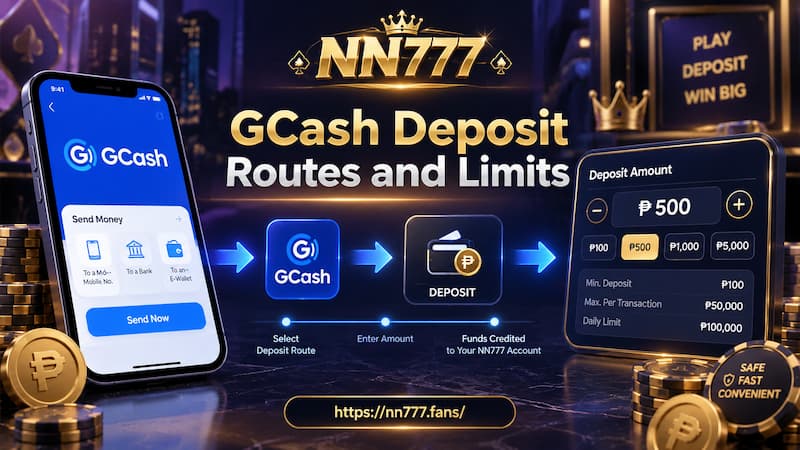
The current Deposit menu includes five GCash routes. Their displayed single-transaction limits are not completely identical.
| GCash route | Single Deposit limit |
| GCash-01 | ₱100 – ₱50,000 |
| GCash-02 | ₱100 – ₱50,000 |
| GCash-03 | ₱20 – ₱50,000 |
| GCash-04 | ₱100 – ₱50,000 |
| GCash-05 | ₱100 – ₱50,000 |
The standout is GCash-03. Its displayed minimum is ₱20, compared with ₱100 for the other four routes.
That difference matters most at the lower end.
If Carlo wants to Deposit ₱80, choosing GCash-01 would put the amount below its displayed minimum. GCash-03, however, accepts an amount starting from ₱20 according to the current Deposit screen.
For Maria depositing ₱2,000, all five displayed ranges can accommodate the amount. She can therefore focus on whichever route is available and convenient rather than choosing based on the minimum limit.
This is also why the label GCash alone does not tell you everything you need to know. The individual channel underneath it can change whether a particular amount is accepted.
Limits should be checked each time you Deposit. Payment channels can change, and a number that worked previously should not be treated as permanent.
GCash Deposit Routes and Limits
Deposit Amount, Handling Fee and Actual Credit
Three figures deserve attention before payment:
You Need to Pay
This is the amount entered for the Deposit transaction.
If you type ₱1,000, check that ₱1,000 remains the intended payment amount before continuing.
Handling Fee
The Deposit screen includes a separate field for the handling fee. In the current GCash example, the displayed fee is 0.
That does not mean every payment route should automatically be assumed to have zero fees forever. The safer habit is to look at the actual fee displayed for the transaction you are about to make.
Actual Deposit Amount
This figure tells you how much is expected to be credited after the transaction details are calculated.
The distinction becomes important whenever a fee applies. A player who only looks at the amount entered may overlook the difference between the amount paid and the amount ultimately credited.
Before pressing Pay Immediately, compare all three figures rather than checking only the first one.
Complete a Deposit Without Payment Errors
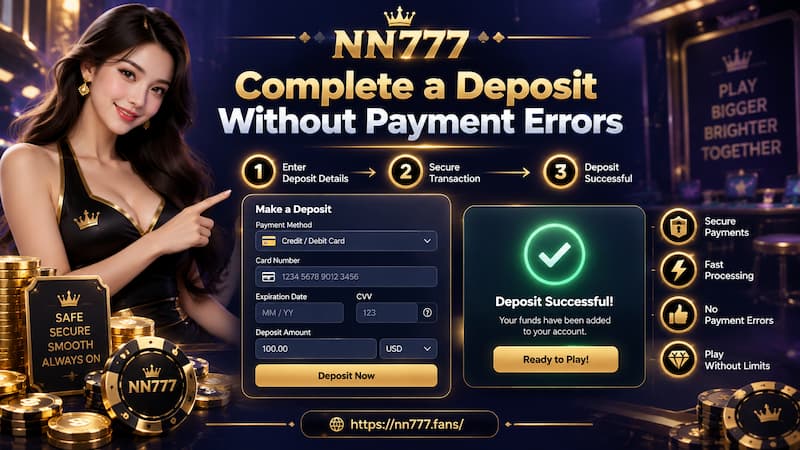
Deposit problems are often caused by small mismatches rather than complicated technical failures.
Complete a Deposit Without Payment Errors
Use this order before sending money:
- Confirm that you are signed into the correct account.
- Select the intended payment method.
- Check the specific route underneath it.
- Read the minimum and maximum Deposit amount.
- Enter an amount that falls inside that range.
- Review the handling fee.
- Check the Actual Deposit Amount.
- Press Pay Immediately only when the details are correct.
- Follow the newly generated payment instructions.
- Keep the payment receipt until the balance updates.
Avoid reusing an account number, QR code, wallet address or other payment information simply because it worked on your last Deposit. Payment channels can be reassigned or updated.
Changing the amount halfway through the process is another avoidable risk. If you create a Deposit for ₱2,000, complete it for ₱2,000 unless the payment instructions explicitly say otherwise.
For USDT, add one more check: Confirm the blockchain network before sending.
When a Deposit Does Not Appear Immediately
A delayed balance does not automatically mean the money is lost.
Start by checking the payment itself.
Payment Failed
If your wallet or banking app shows that the payment failed, verify whether funds actually left the account. Creating another Deposit immediately can produce duplicate attempts if the first transaction is still being processed.
Payment Successful but Balance Pending
If the payment provider says the transaction succeeded but your NN777 balance has not changed, keep the evidence needed to trace it.
Save:
- Transaction or reference number.
- Deposit amount.
- Payment method used.
- Payment time.
- Payment receipt or screenshot.
Also confirm that the amount sent matches the amount entered and that the correct payment route was used.
For example, if a ₱3,000 GCash Deposit shows as successfully paid but the balance is still pending, the transaction reference and receipt are far more useful for checking the payment than simply reporting that “the money did not arrive.”
Most importantly, do not automatically send another ₱3,000 while the first transaction is unresolved.
Choosing the Right Deposit Method
The fastest-looking option is not always the best fit. A better choice comes from matching the transaction to the method.
Consider these points:
- Amount: Make sure it falls within the displayed Deposit range.
- Available balance: Using a wallet that already contains the funds can reduce unnecessary transfers.
- Fees: Check the current handling fee before confirming.
- Convenience: GCash, PayMaya, GrabPay and GoTyme may feel simpler for users already familiar with those services.
- Crypto experience: USDT requires careful checking of wallet and network details.
- Route availability: One GCash route may suit the transaction even when another does not.
For a ₱50 Deposit, GCash-03 currently has a practical advantage because of its lower minimum. At ₱20,000, the minimum becomes irrelevant, so availability, fees and convenience carry more weight.
That is a more useful way to choose than automatically returning to the same payment button every time.
Deposit Checklist Before Paying
A few seconds of checking can prevent a much longer payment dispute.
Before confirming, make sure:
- You are using the correct account.
- The intended Deposit method is selected.
- The correct payment route is active.
- Your amount falls within its displayed limit.
- The payment amount is correct.
- The handling fee has been reviewed.
- The Actual Deposit Amount is clear.
- The payment instructions belong to the current transaction.
- The USDT network and wallet address are correct when using crypto.
- You can keep the receipt until the funds are credited.
A smooth Deposit is mostly about consistency: Match the amount to the route, follow the current instructions and verify the final figures before money leaves your wallet.