



NN777 App: Mobile Casino Access, Setup and Use Guide
NN777 App brings account access, games and member features onto a phone without creating a second profile. Before installing, users can check device requirements, storage space, login continuity and whether the App or mobile browser better suits everyday use.
NN777 App Specifications
The App is designed for mobile use rather than treating a phone as a smaller version of a desktop screen. The current NN777 App release is Version 1.2.5, while the Android APK is approximately 85 MB.
That 85 MB figure is useful, but it should not be mistaken for the total amount of free space a phone needs. Android still requires room to unpack the installation file, store App data and handle later updates. Keeping about 300 MB free gives the installation much more breathing room.
| Specification | Detail |
| Current version | 1.2.5 |
| Android APK size | Approximately 85 MB |
| Android requirement | Android 6.0 or later |
| iOS requirement | iOS 11 or later |
| Recommended RAM | 3 GB or more |
| Recommended storage | 300 MB free |
| Connection | Wi-Fi, 4G or 5G |
| Currency | PHP |
| Login | Existing NN777 member account |
The minimum Android or iOS version only tells part of the story. A phone with almost no free storage and several apps running in the background can still feel sluggish even when its operating system meets the requirement.
For example, a Samsung Galaxy A15 with 4 GB of RAM and plenty of free storage has more room to handle the App alongside messaging or payment apps than an older phone running close to its storage limit.
Android App Download and Installation
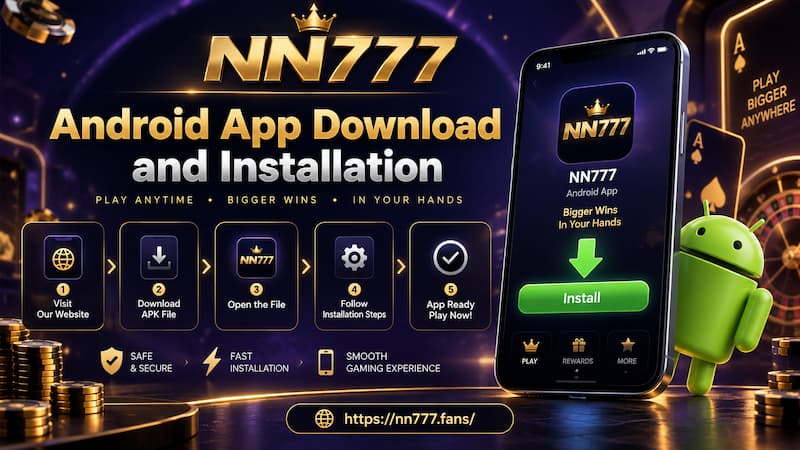
Android users install NN777 through an APK. That makes the process slightly different from installing an ordinary app directly from Google Play.
Android App Download and Installation
Before downloading, check four things:
- Android 6.0 or later is installed.
- At least 300 MB of storage is free.
- The connection is stable enough to download an 85 MB file without interruption.
- The existing NN777 username and password are available if the account has already been created.
Wi-Fi is convenient for the initial download, although a stable 4G or 5G connection is also sufficient.
Installing the APK
Start by opening NN777 on the phone being used for installation. From there, the Android process is straightforward:
- Open the NN777 download section.
- Select Android Download.
- Save the APK file to the phone.
- Open the downloaded APK.
- Allow installation from the browser if Android requests permission.
- Complete the installation.
- Open the App.
- Enter the existing NN777 username and password.
Android may display a warning because the APK is being installed through the browser rather than directly from Google Play. The permission normally applies to the browser or file source used to open the APK.
Once installation is complete, there is no practical reason to leave broad installation permissions enabled for unrelated downloads.
Your Existing Account Stays Connected
Installing the App does not create a new casino account.
The login remains tied to the same NN777 member ID used elsewhere, so switching from a browser to the App does not mean starting over.
Your balance, VIP level, bonuses and transaction history remain linked to the original member account after the App is installed.
This distinction becomes especially useful when using more than one device. A user might open NN777 from a laptop in the evening, then sign in through the App on a phone later. Both access methods lead back to the same account rather than maintaining separate balances, deposit records or withdrawal records.
The important step is signing in with the original credentials.
Registering again because a newly installed App looks empty can create unnecessary confusion. If an existing account is already active, use its username and password first.
NN777 App on iPhone
iPhone access follows a different route because iOS does not install Android APK files.
NN777 App on iPhone
The stated requirement is iOS 11 or later. Users select the available iOS download option and follow the instructions displayed on the device.
There is also a useful fallback: The mobile browser.
If an installed iOS version is unavailable on a particular device or at a particular time, the main account functions can still be reached through the browser without creating another membership.
That makes iPhone access less dependent on having a permanent App installed. Someone who uses an iPhone 12 only occasionally, for example, may find browser access perfectly adequate rather than keeping another application on the device.
App or Mobile Browser
Installing the App is not automatically the best choice for every phone.
The decision mostly comes down to how often NN777 is used, how much storage is available and whether the same person switches between several devices.
| Situation | App | Mobile Browser |
| Frequent mobile access | More convenient | Works normally |
| Limited phone storage | Uses local storage | Better fit |
| Several phones in use | Installation needed on each | Easier to switch |
| Quick repeat access | Convenient | Requires opening browser |
| Account notifications | Better suited | More limited |
| Occasional access | Optional | Practical |
| Installed version unavailable | Not available | Useful fallback |
Frequent Mobile Use
The App fits users who return regularly from the same phone. Once installed, reaching the account takes fewer steps and the NN777 icon stays available directly from the home screen.
Account-related notifications are another reason regular users may prefer it.
Limited Storage or Several Devices
Browser access makes more sense when storage is already tight.
An 85 MB APK may sound small compared with modern phone storage, but the installed App, cached files, screenshots, other applications and future updates all compete for the same space.
The browser is also convenient for someone who moves between several phones. There is no need to install the App separately on each device simply to access the same member account.
Storage, RAM and Connection During Daily Use
A successful installation does not guarantee smooth mobile use. Three resources have the largest practical effect: RAM, storage and network quality.
With 3 GB of RAM or more, the phone has more room to keep NN777 active while another app is opened briefly. That can be useful when checking a message or switching to a payment application.
Free storage matters for a different reason. When a phone is almost full, Android and iOS have less room for temporary data. Slow updates, failed downloads and sluggish app behavior can sometimes be storage problems rather than App problems.
A sensible check is to keep more than the minimum 300 MB available whenever possible.
Connection quality matters just as much. The App can work through:
- Wi-Fi
- 4G
- 5G
A strong 4G connection can easily be more usable than weak Wi-Fi at the edge of a router’s range. If screens suddenly take much longer to load, checking the connection before reinstalling the App can save unnecessary work.
App Permissions and Installation Checks
APK installation deserves a little attention because Android allows files to be downloaded from many different sources.
Before opening an APK, confirm that it came from the intended NN777 download route. Random copies with similar filenames are not useful simply because they claim to contain the same App version.
A few habits keep the process cleaner:
- Check that the download finished before opening the file.
- Avoid repeatedly downloading duplicate APK copies.
- Approve browser installation permission only when Android requires it.
- Remove unnecessary installation permission afterward.
- Keep enough storage free before applying a later App update.
- Do not assume every file carrying the NN777 name is the same release.
If Version 1.2.5 is already installed and functioning normally, deleting the App is rarely the first troubleshooting step. Check storage, network conditions and update availability first.
Common App Problems
Most installation problems fall into a handful of recognizable patterns.
APK Does Not Install
Start with the Android version and available storage. A phone below Android 6.0 does not meet the stated minimum requirement, while a nearly full phone may fail even when the APK itself is only about 85 MB.
Also check whether Android has allowed the browser to install the downloaded file.
Download Stops Partway Through
An incomplete APK should be downloaded again using a stable connection rather than repeatedly opened.
Switching from unstable Wi-Fi to reliable 4G or 5G can sometimes solve the problem immediately.
App Feels Slow
Close unused applications and check remaining storage.
A phone running several background apps with only a small amount of available RAM can respond differently from the same phone after those apps are closed.
Existing Balance Does Not Appear
First check the login credentials. The installed App uses the same member account, but it cannot automatically know which account to open if different credentials were entered.
Avoid creating another account simply because the expected balance is not visible.
iPhone Installation Is Unavailable
Use the mobile browser instead. The account itself is not dependent on having an installed iOS App. If both browser and App access continue to fail, contact NN777 after checking the connection and account credentials.
Choosing the Right Mobile Setup
For someone who uses NN777 regularly on one Android phone, installing the App is the most direct arrangement. The icon stays close at hand, login access is easier to reach, and account notifications fit naturally into frequent mobile use.
Occasional users have less reason to install anything. Browser access keeps phone storage free and is easier when moving between devices.
Older phones deserve a quick check before downloading. Operating-system compatibility is only the starting point: RAM, free storage and connection quality can make a noticeable difference once the App is in daily use.